
Ready before arrival
Prepare the destination view before regional entry completes, start arrival protection at activation, and keep Tab from selecting game controls.
Live · 0.21.9 · 2026-10-08T17:41:43.030790+00:00
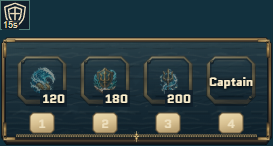
- Regional crossings keep your ship inactive while the destination view is prepared behind the loading screen.
- The full 15-second Safe arrival period begins when the destination activates. Attacking still ends it immediately.
- Destination preparation includes the visible ship, crew and NPC models, textures and first rendered view.
- Tab and Shift+Tab no longer select game buttons, cycle through fields or bind to gameplay actions, including during loading and in menus.
Version 0.21.9 is verified on Europa and the Steam default branch.
The regional loading screen remains until the destination view has been prepared and the server accepts that completed arrival. Gameplay input stays unavailable during this preparation.
A completed regional arrival starts the 15-second protection window. The shield shows its remaining time; attacking or expiration removes protection. Ordinary reconnects do not create another protection window.
The same readiness check covers T/home travel and same-region teleports. The saved cargo, bank contents and existing travel cooldown are retained through loading and reconnecting.
The Wilderness entry confirmation remains before travel loading. Leaving the Wilderness does not ask for entry approval.
Tab is reserved throughout startup, account screens, menus and keybinding capture. Text fields keep their cursor for ordinary typing; other gameplay keys and browser or operating-system key combinations keep their existing behavior.
The Steam launcher remains 0.16.6. Bosses remain temporarily paused, public capacity stays at 100, and balance and rewards are unchanged.
These are functional loading and input corrections. No populated-server, native Steam playthrough or measured capacity/latency result is claimed.